
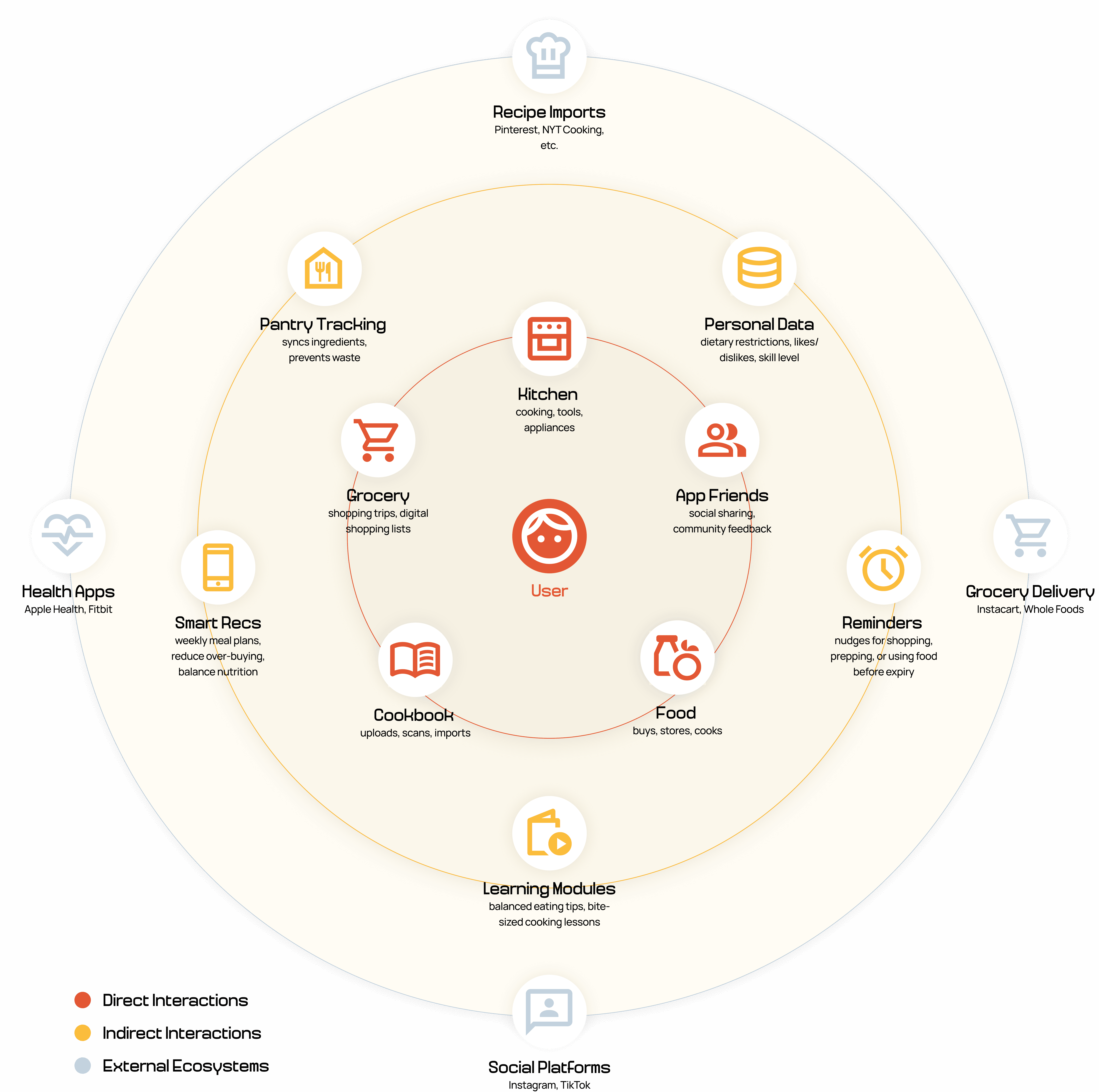
Drew Grad Student
Wants to learn how to cook but doesn’t have much experience. He has strict dietary restrictions limiting what he can eat, but is looking to learn about a balanced diet.
Bad work/life balance
Lives alone
Beginner level cook
Allergic to nuts + lactose intolerant
Pain points without app
User Ecosystem
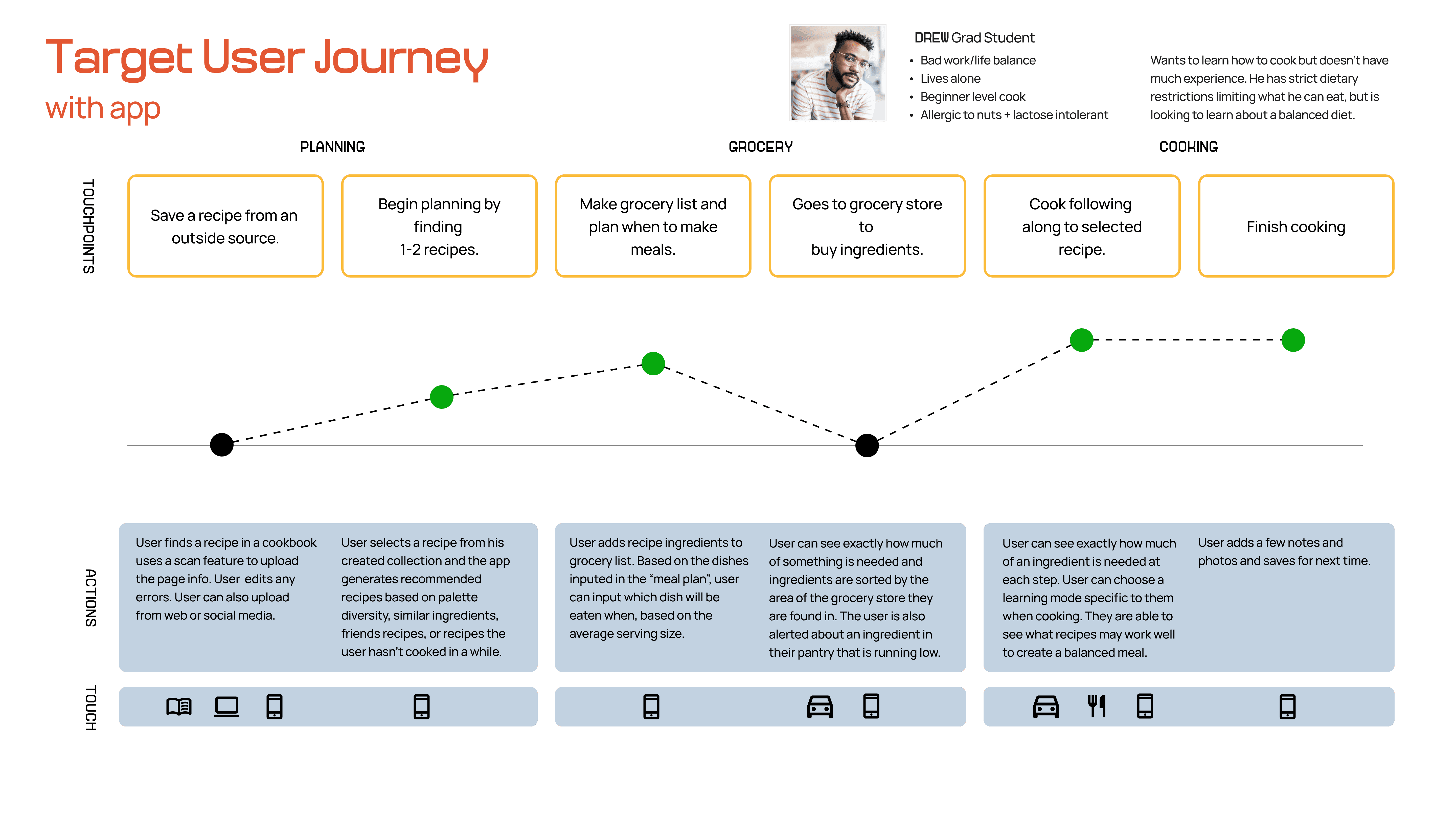
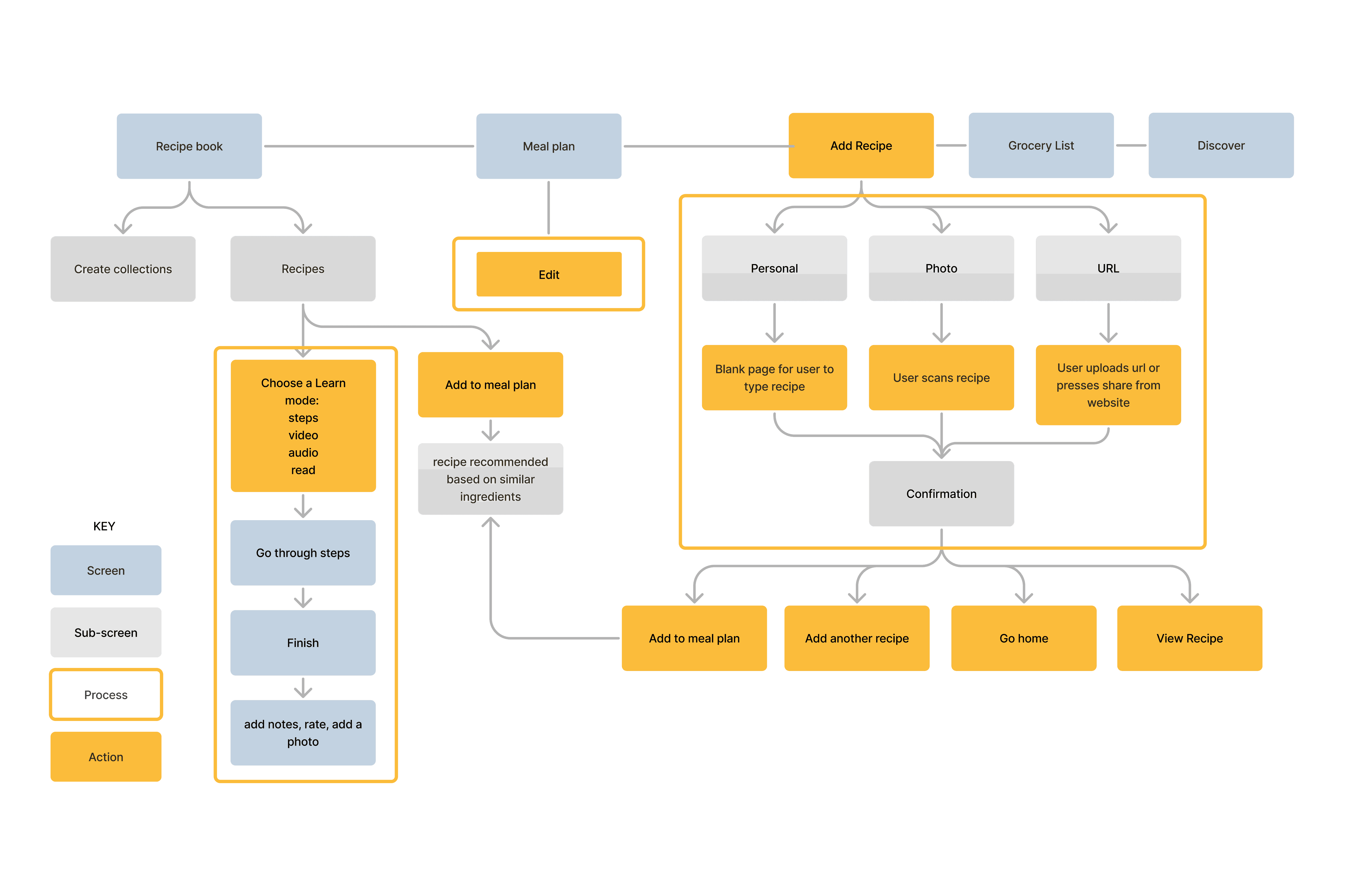
The creation of an ecosystem map allowed me to understand how my users would interact with the app both physically and digitally. Here, I was able to consider how to break down a recipe, tips, or learning points in the most digestible way for a mobile app.
I also questioned how third-party data and user-inputted data would change the experience.
Could the app recommend recipes based on preferences on other apps or recipes they save externally?
Could there be an onboarding form asking about dietary restrictions or liked/disliked foods?
Can the app create recipes based on the user’s pantry ingredients, utilizing as many ingredients as possible?
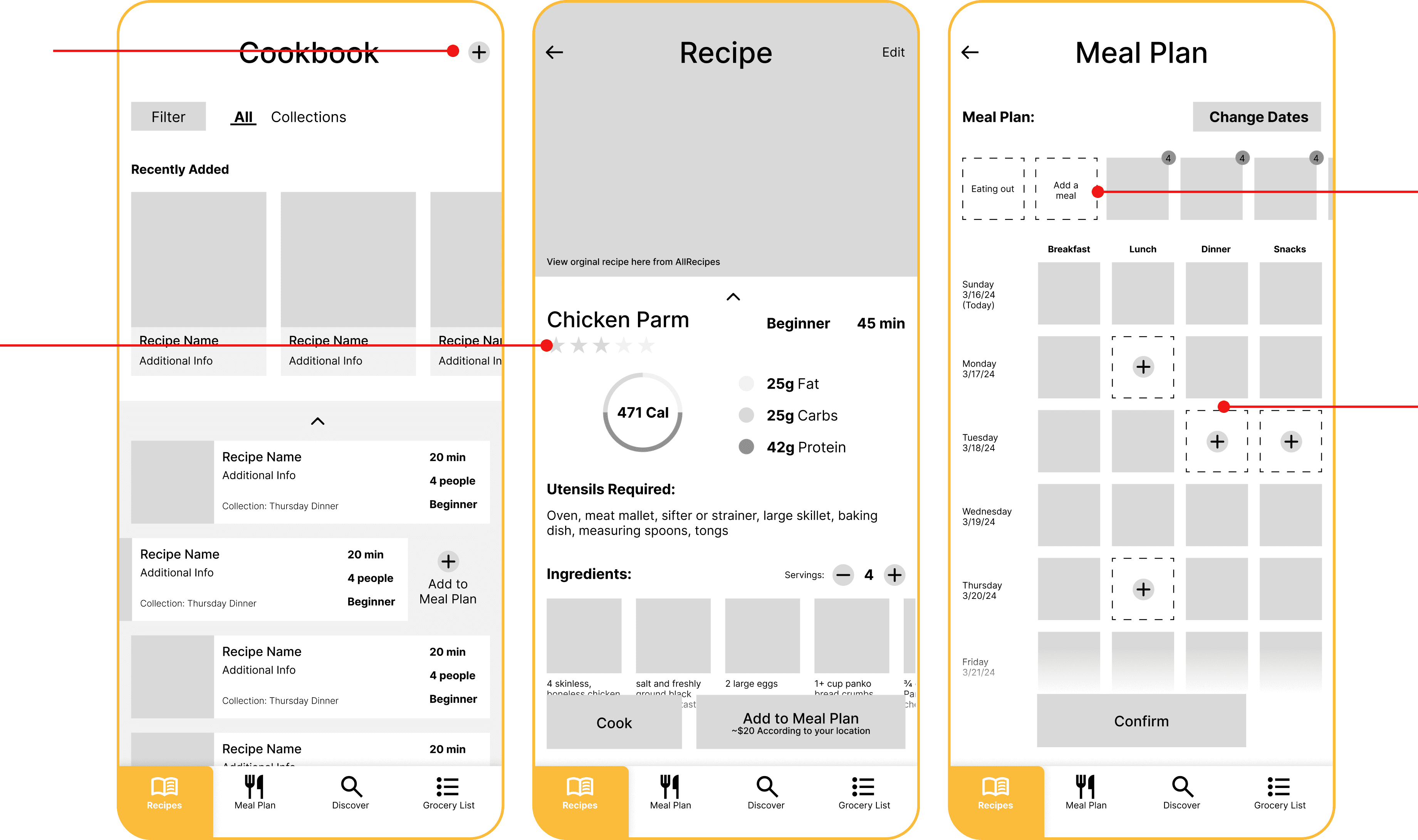
“Add a Recipe” button is too small and not emphasized enough.
Is the rating your own or the recipe’s or your friends?
“Take out” and “Add a meal” need to be treated differently.
Consider the interaction between selecting a recipe and the grid more.
Callout needs to be better emphasized.
Buttons may be redundant.
Text is too small.
This is too much to scroll through.
Information could be grouped or separated better.
Numbers need to be emphasized and called out.
Too much information.
The main course and sides can be combined.
These buttons are not necessary and take up too much space.
Add a button that allows user to get a personalized schedule based on added recipes.
Unnecessary information.
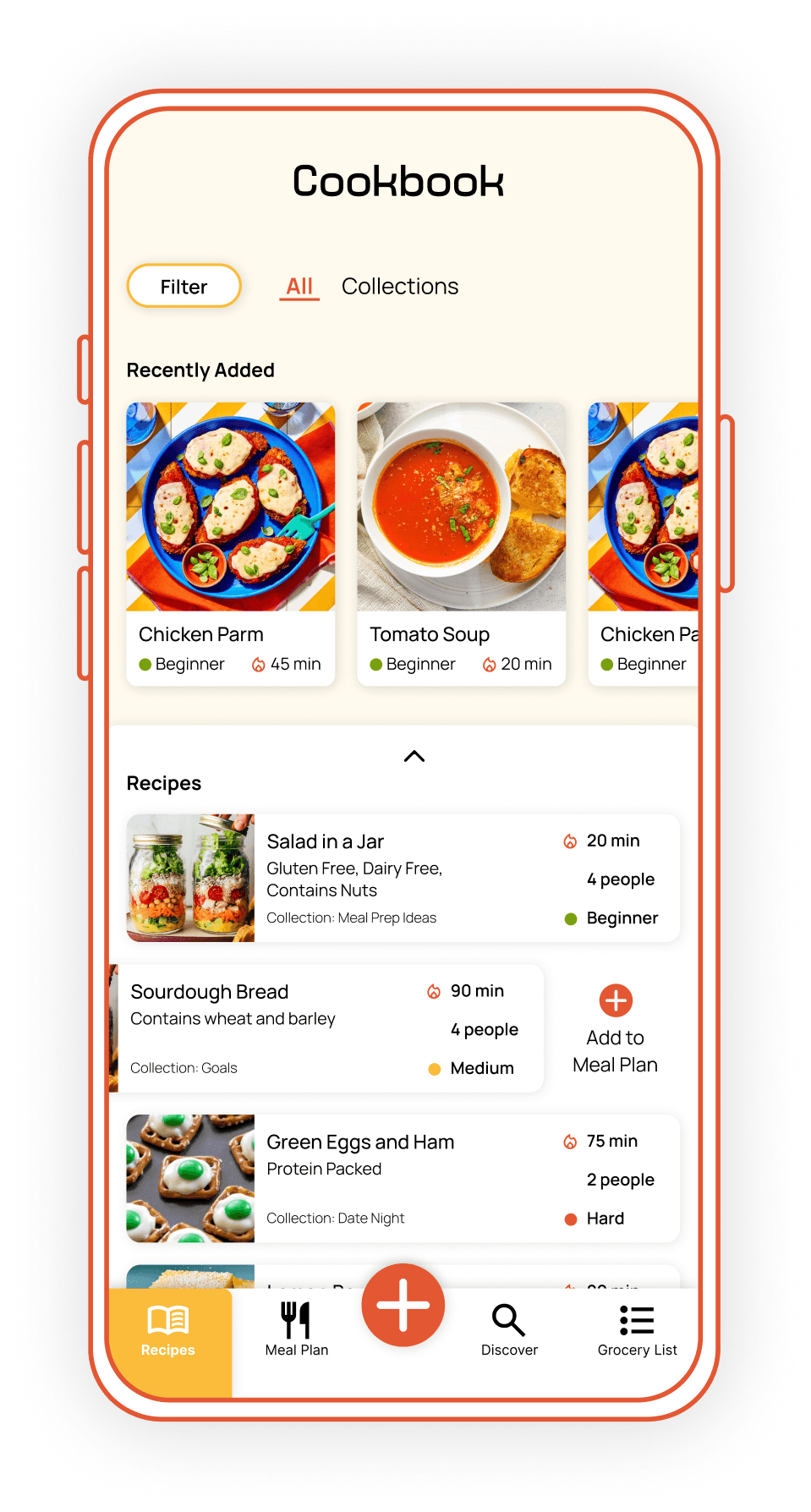
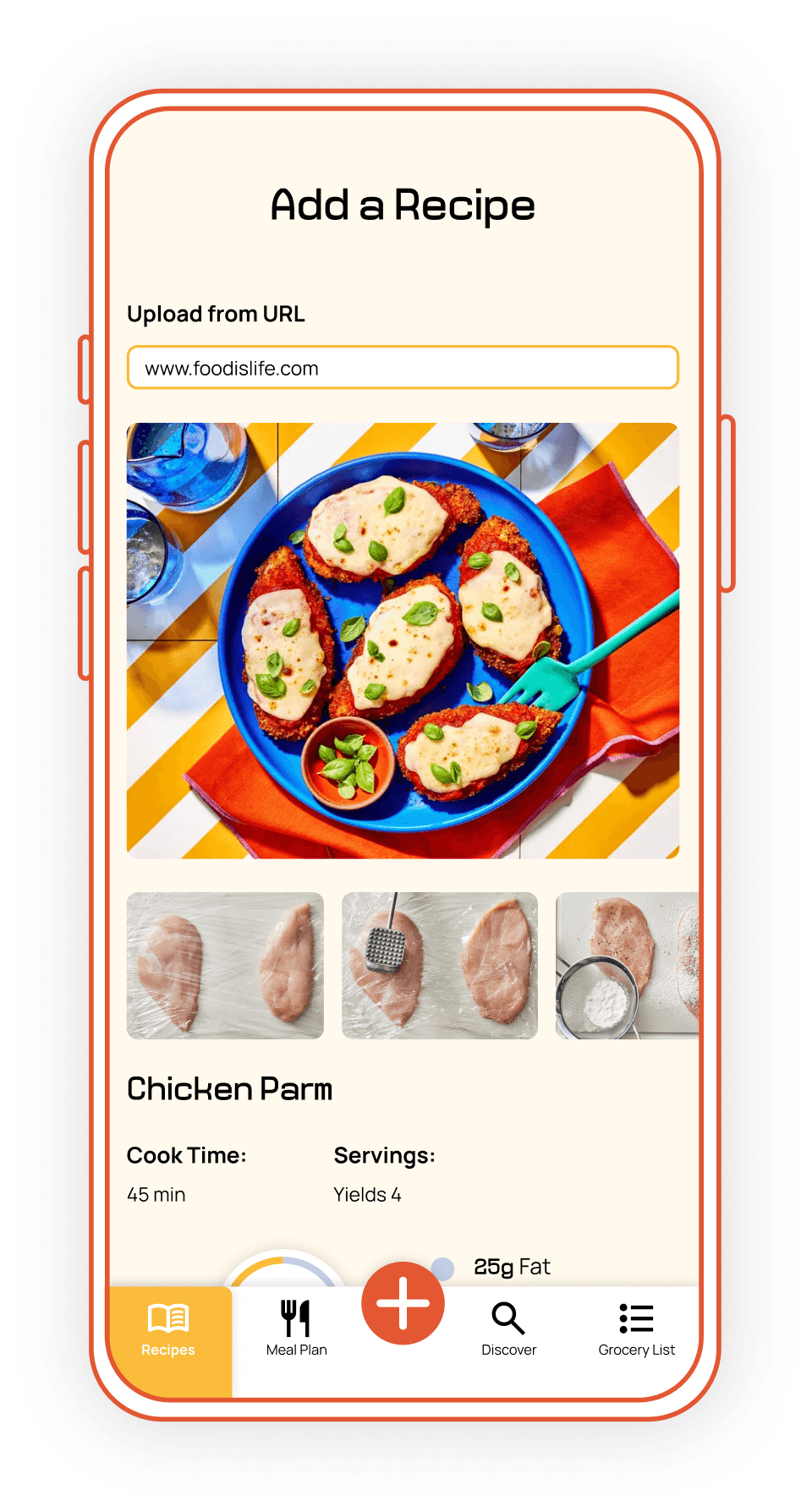
Smart Recipe Capture & Organization
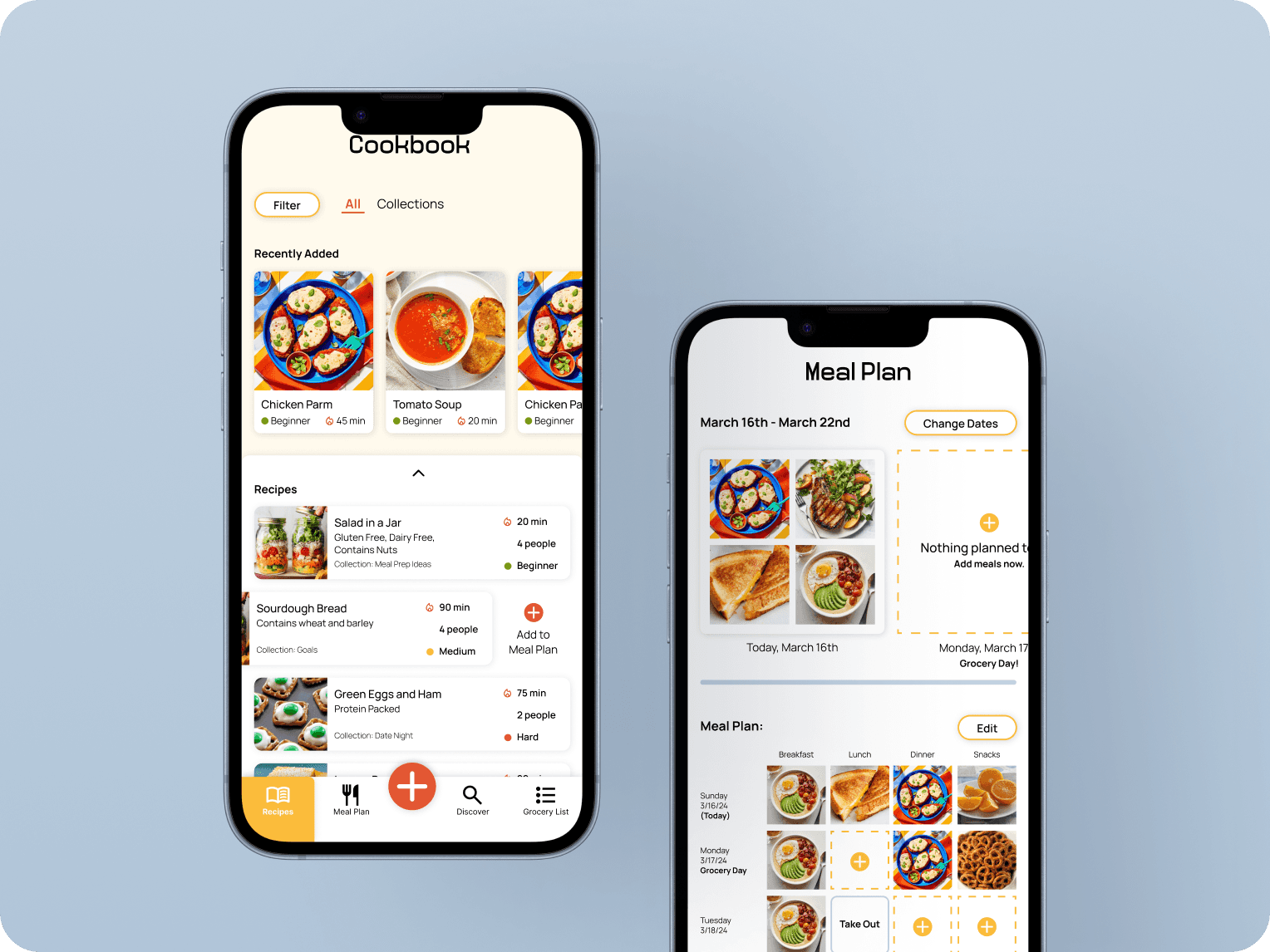
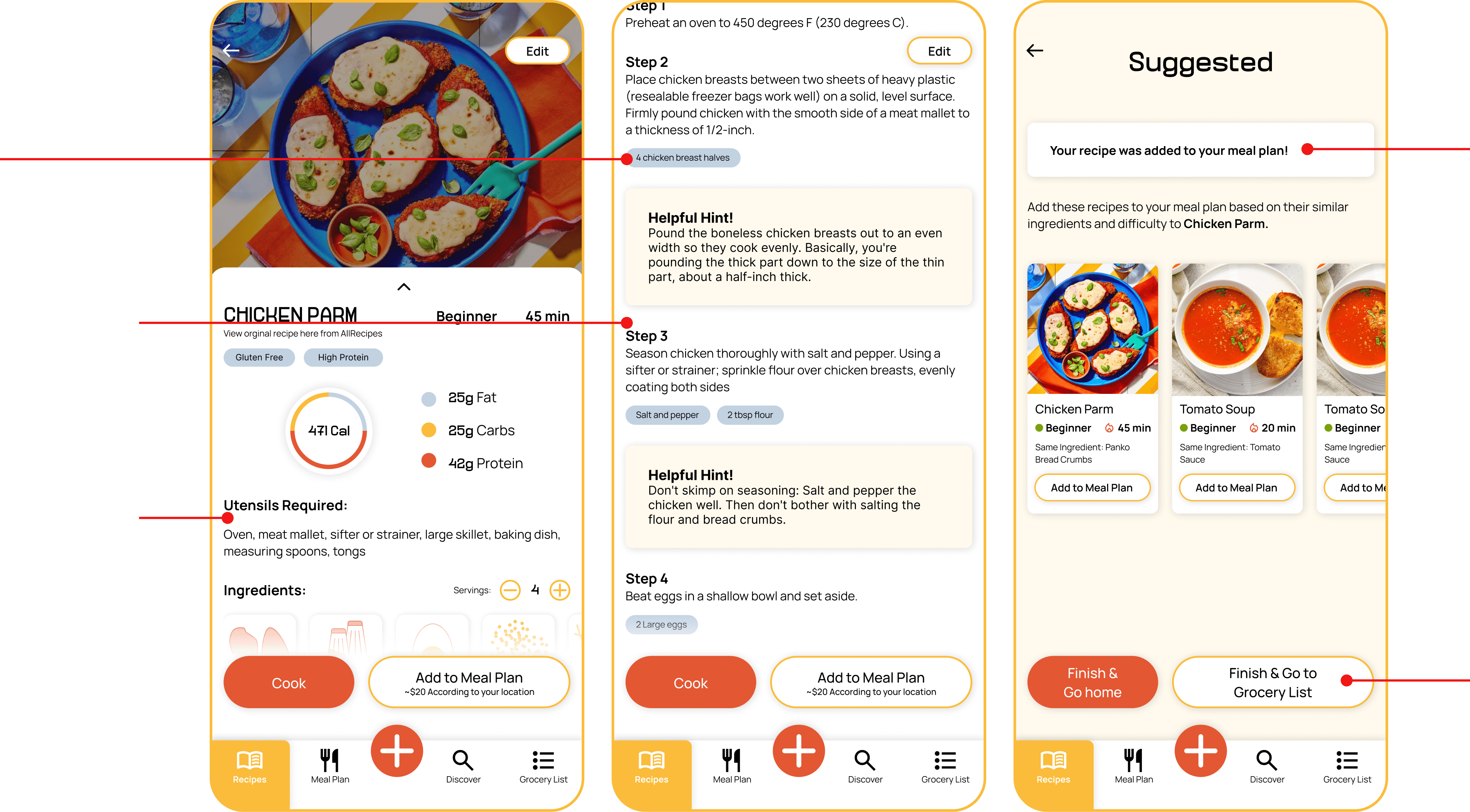
The “Add” button is emphasized as the primary action, making it easy to start. Uploaded recipes are automatically categorized and formatted, while still allowing full editing control. The cookbook homepage reinforces this as the user’s central hub.
Clear Structure
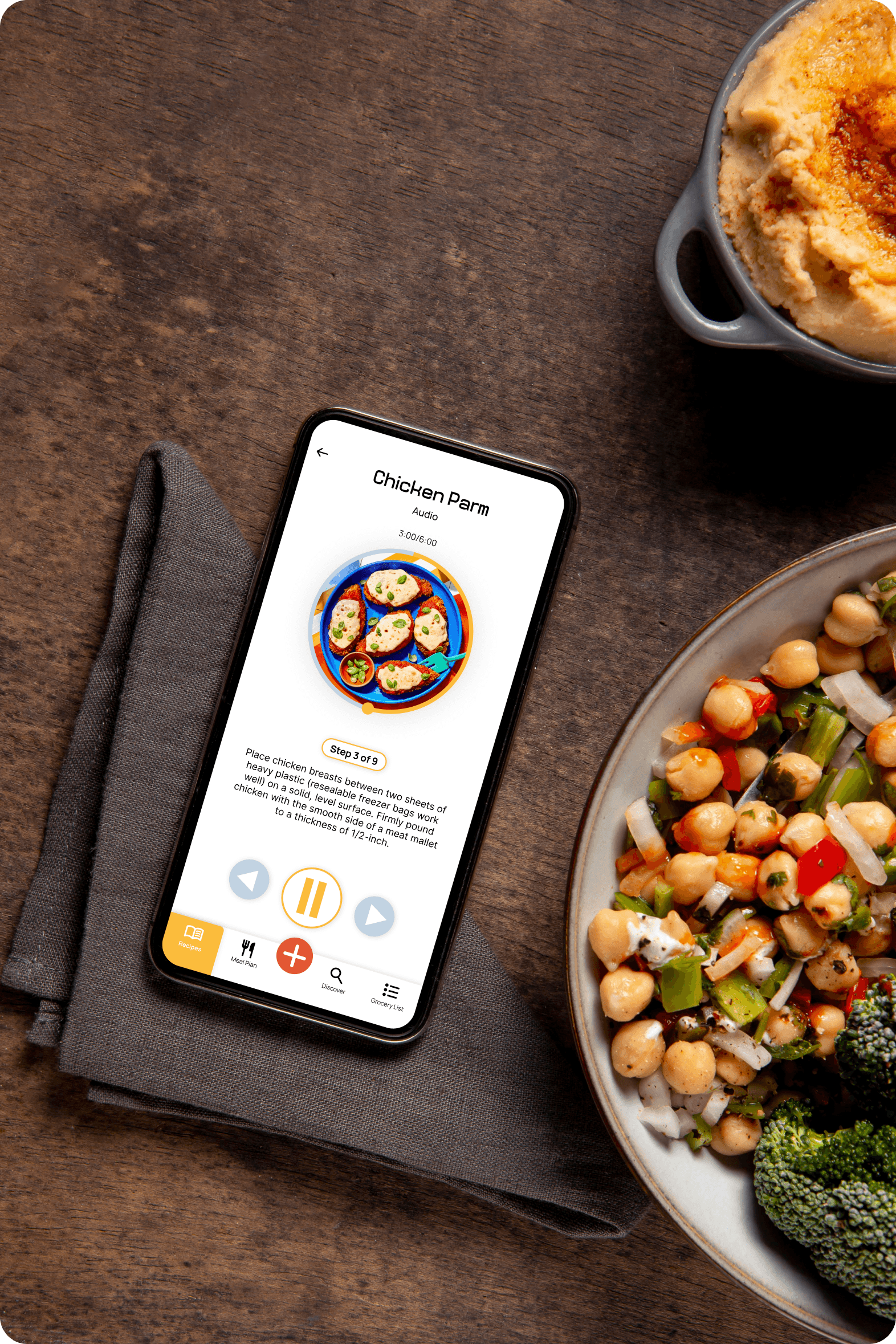
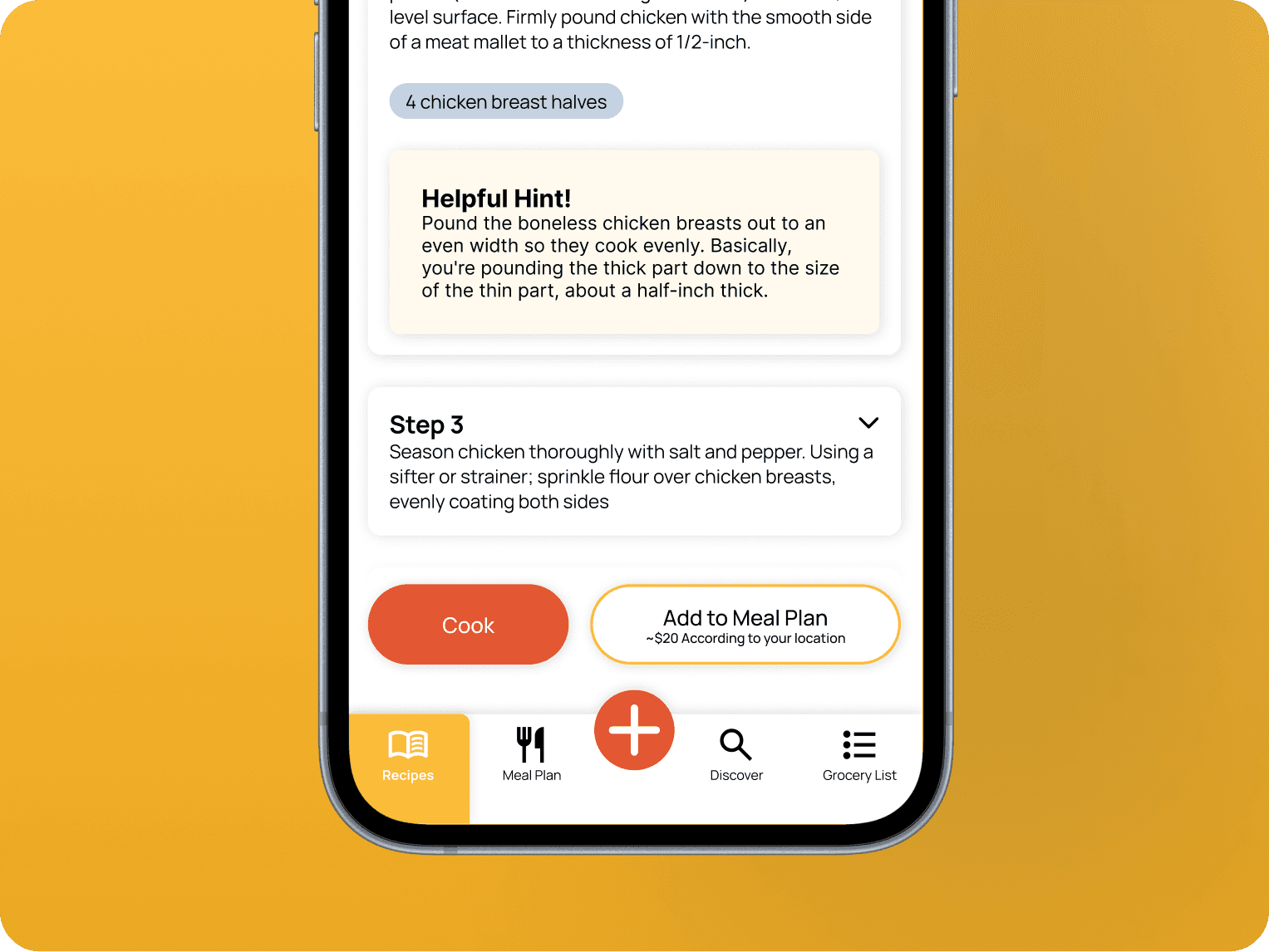
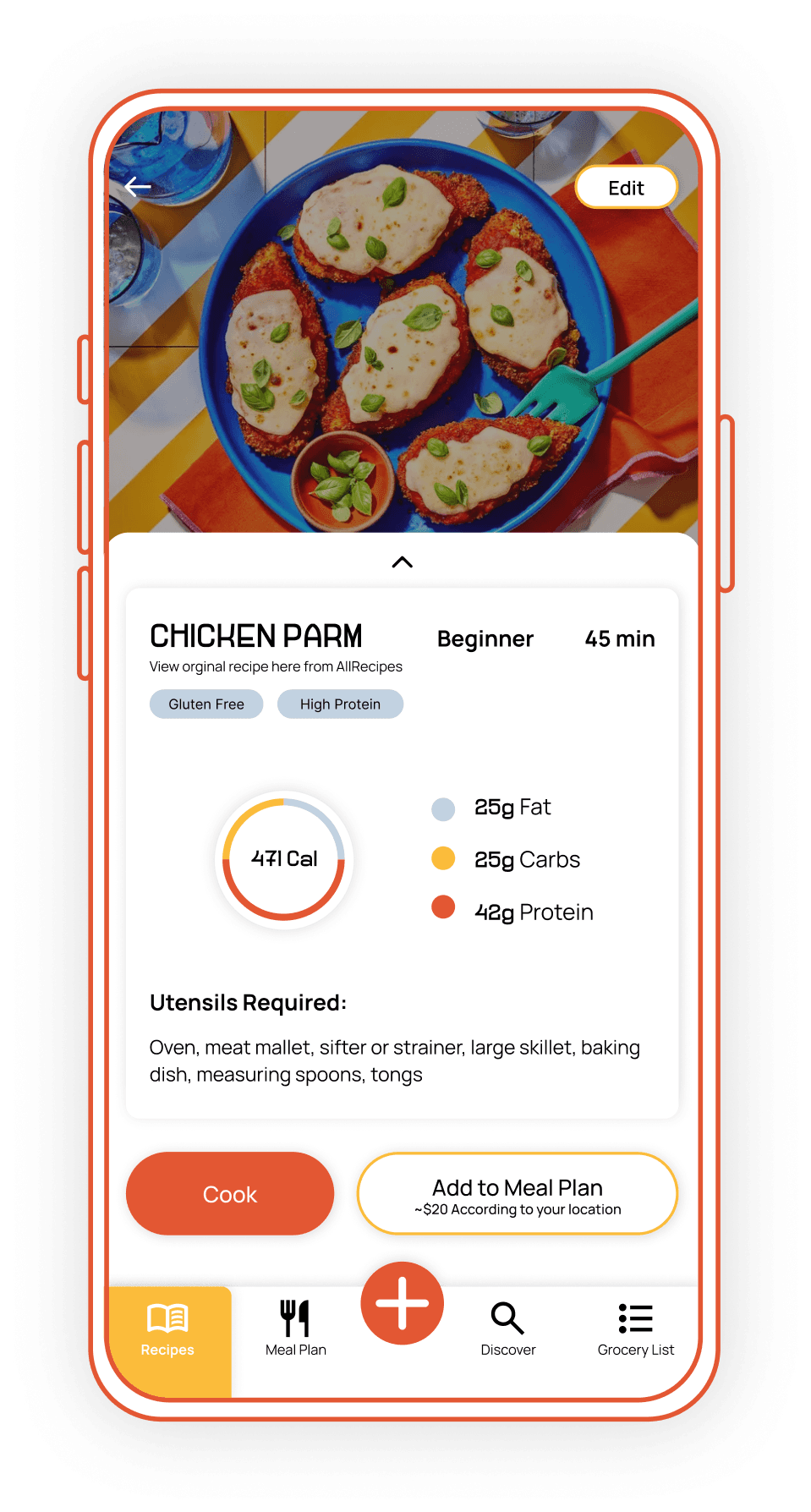
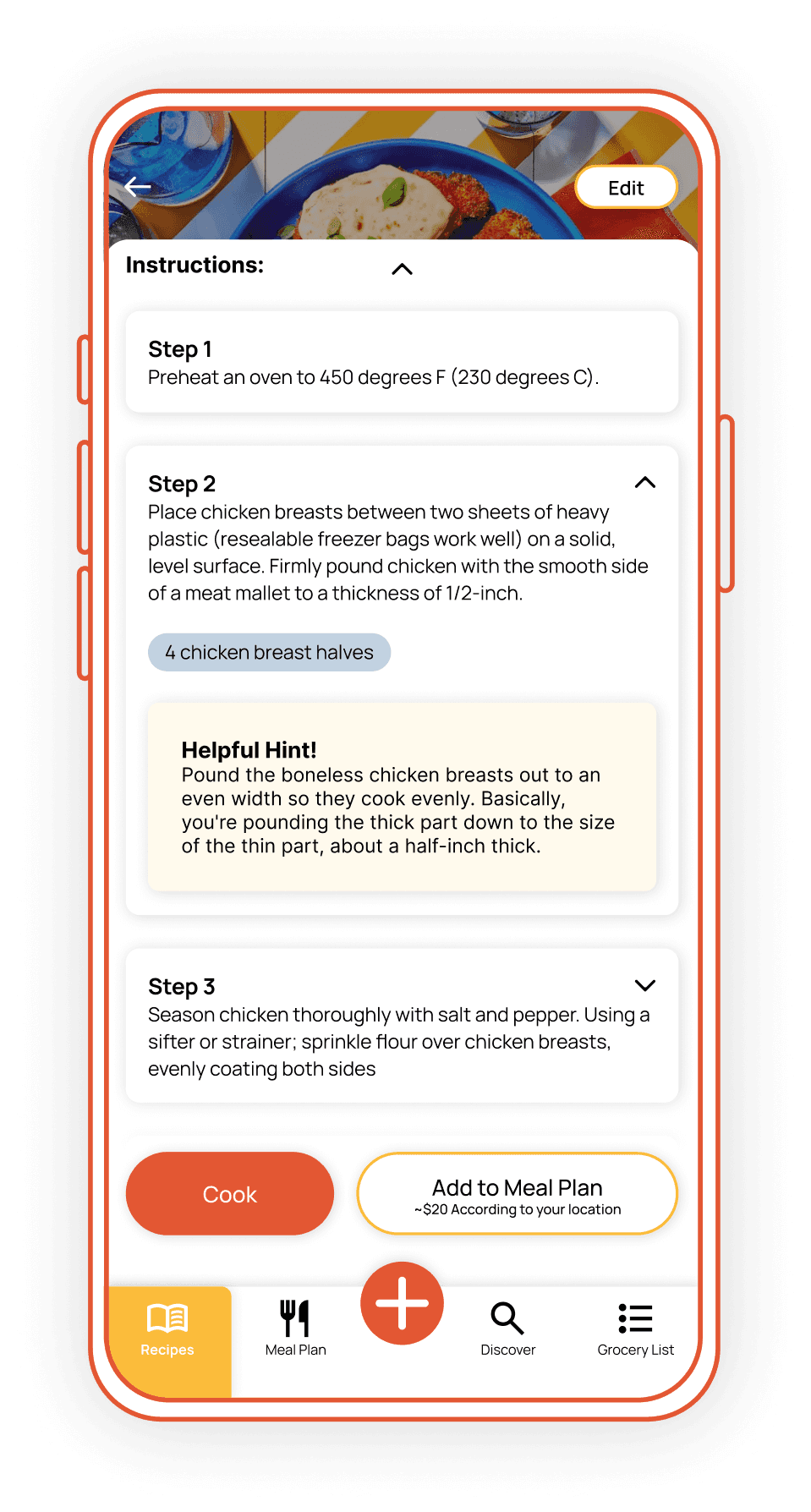
Key recipe details are grouped at the top for quick scanning. Steps include dropdown ingredient measurements to prevent scrolling, and contextual hints support users through more complex techniques.
Smart Planning & Waste Reduction
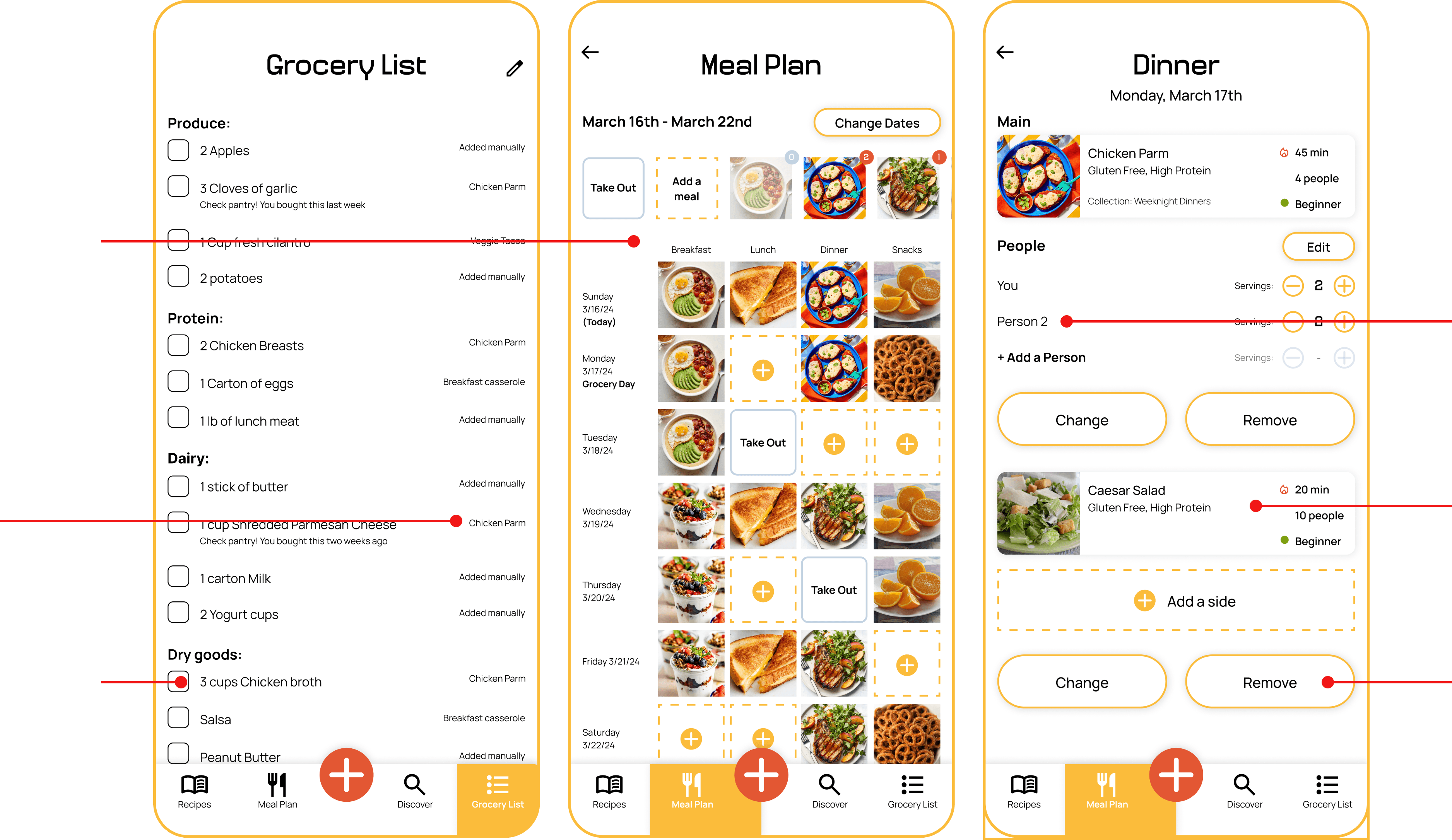
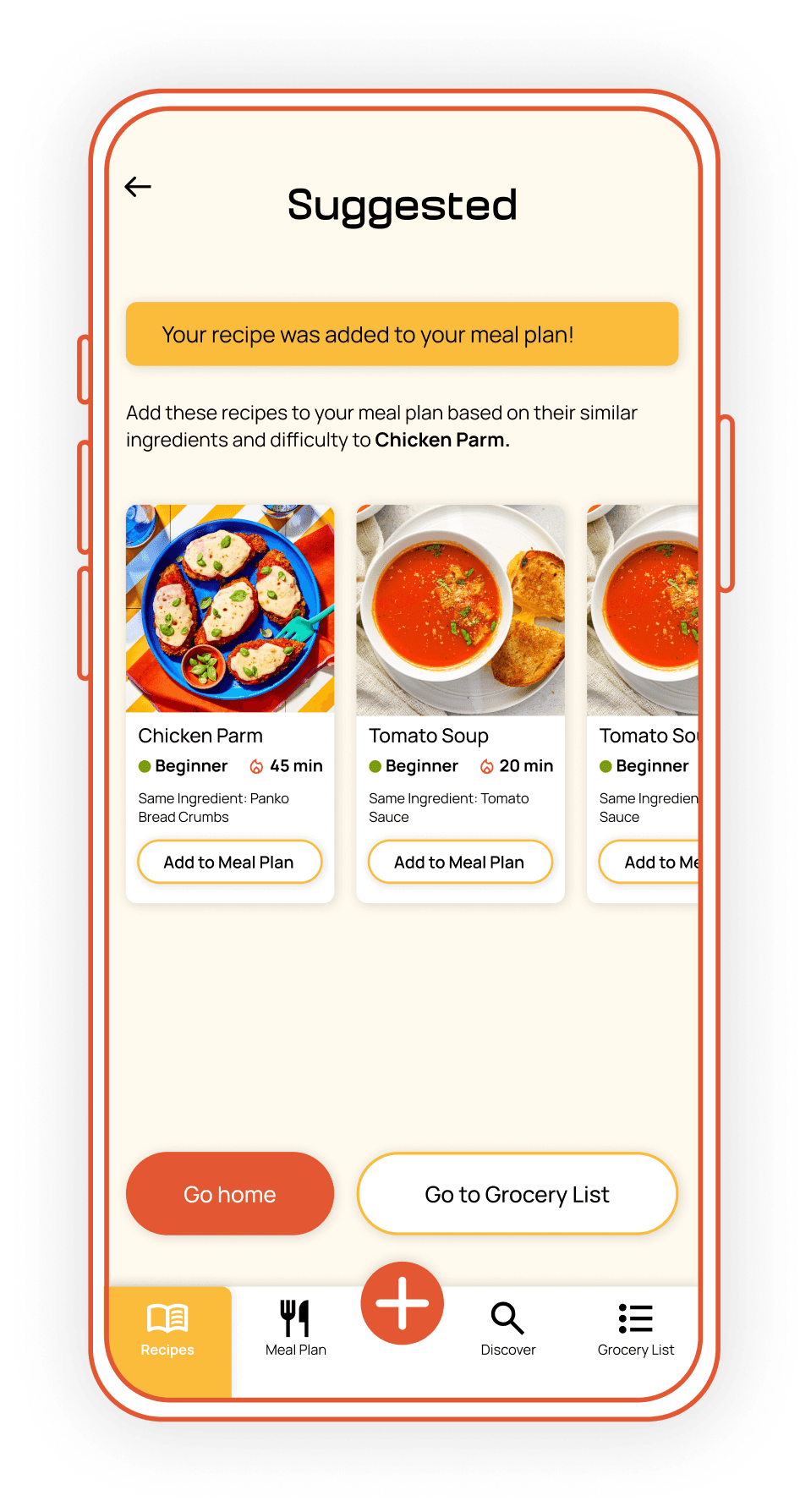
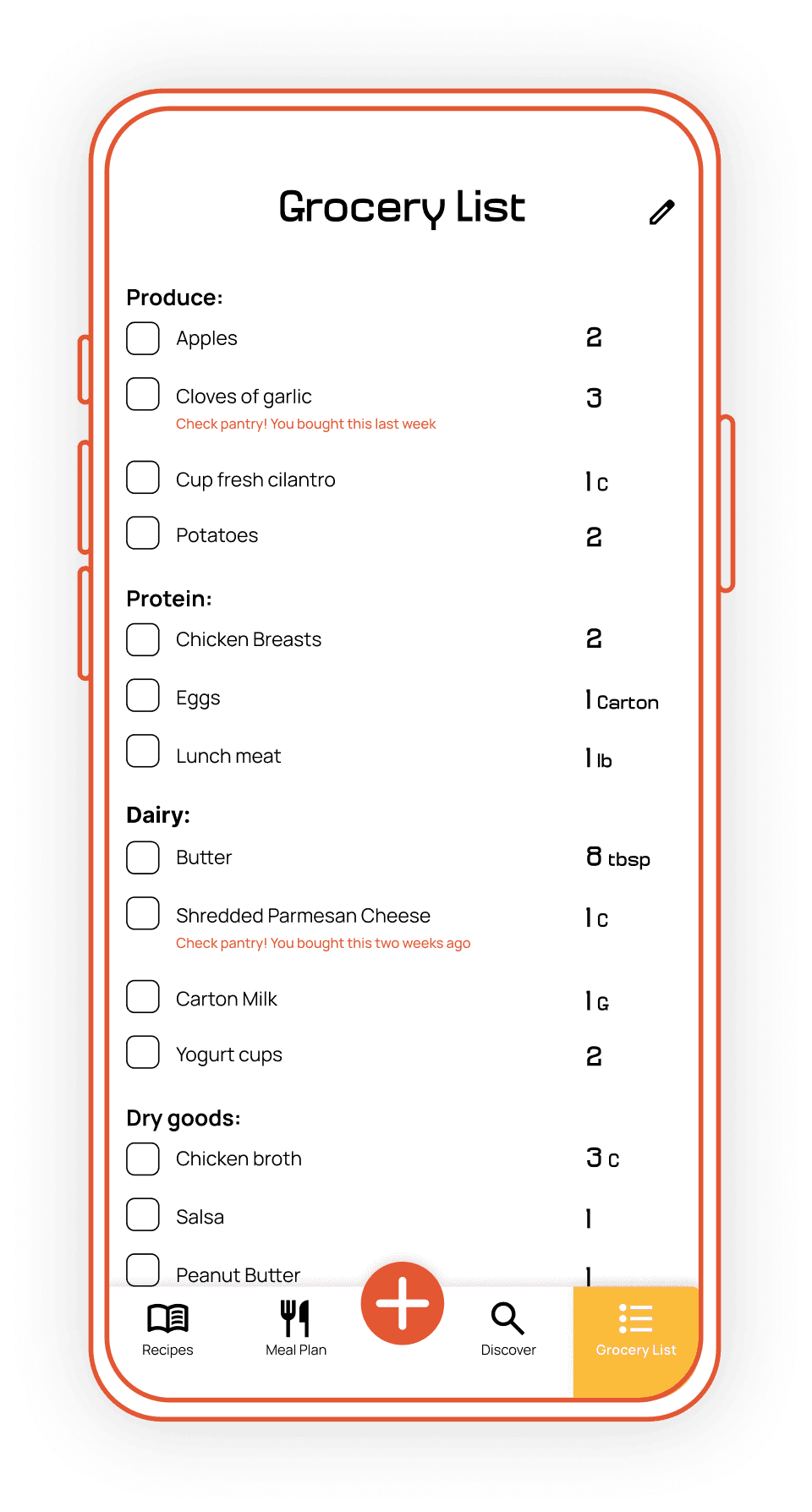
Once added to a meal plan, the app suggests complementary recipes to reduce extra ingredient purchases. Grocery lists flag duplicates and are organized by store category for efficiency. Exact measurements and multiple learning modes support users with varied cooking styles.
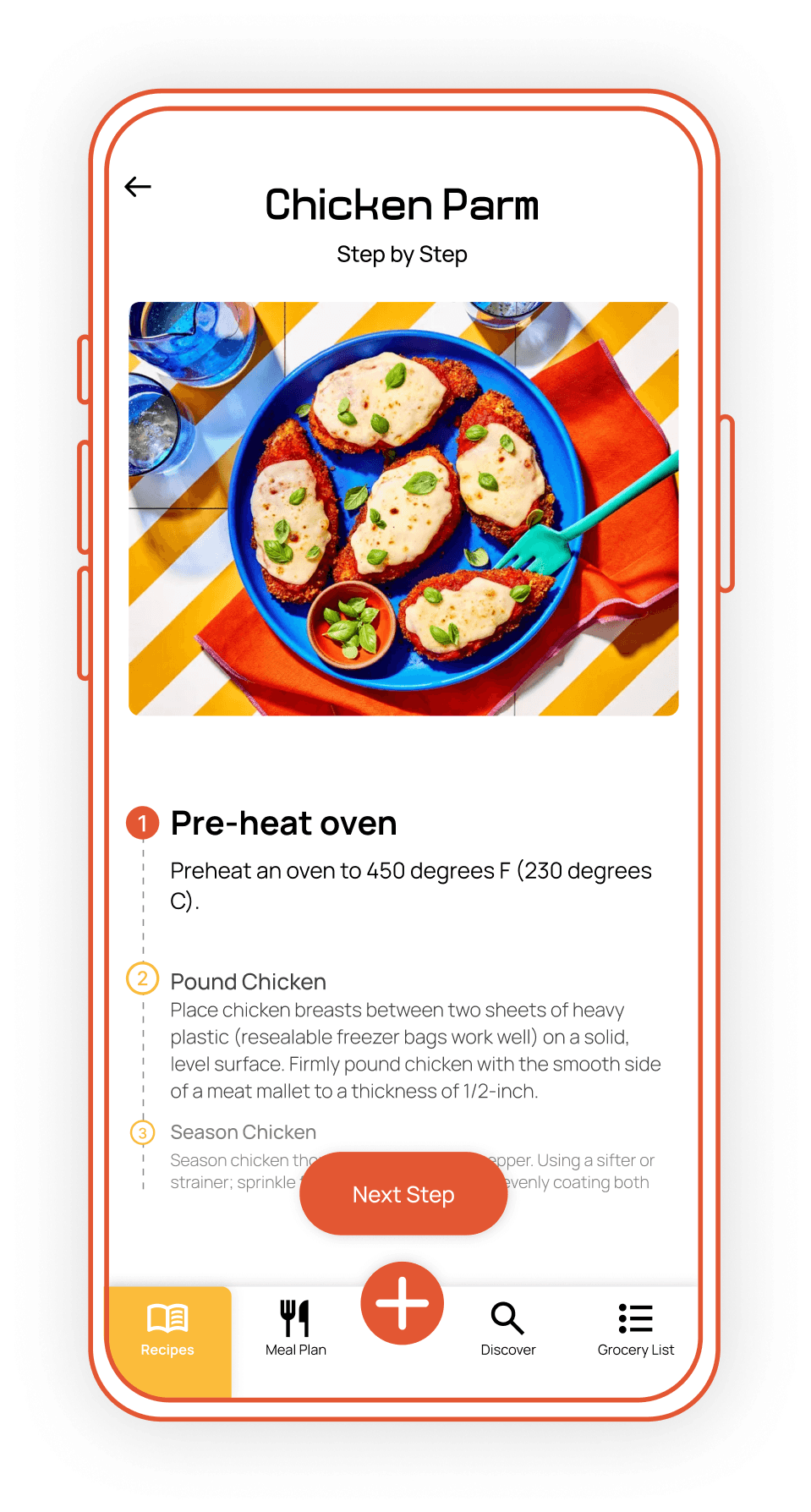
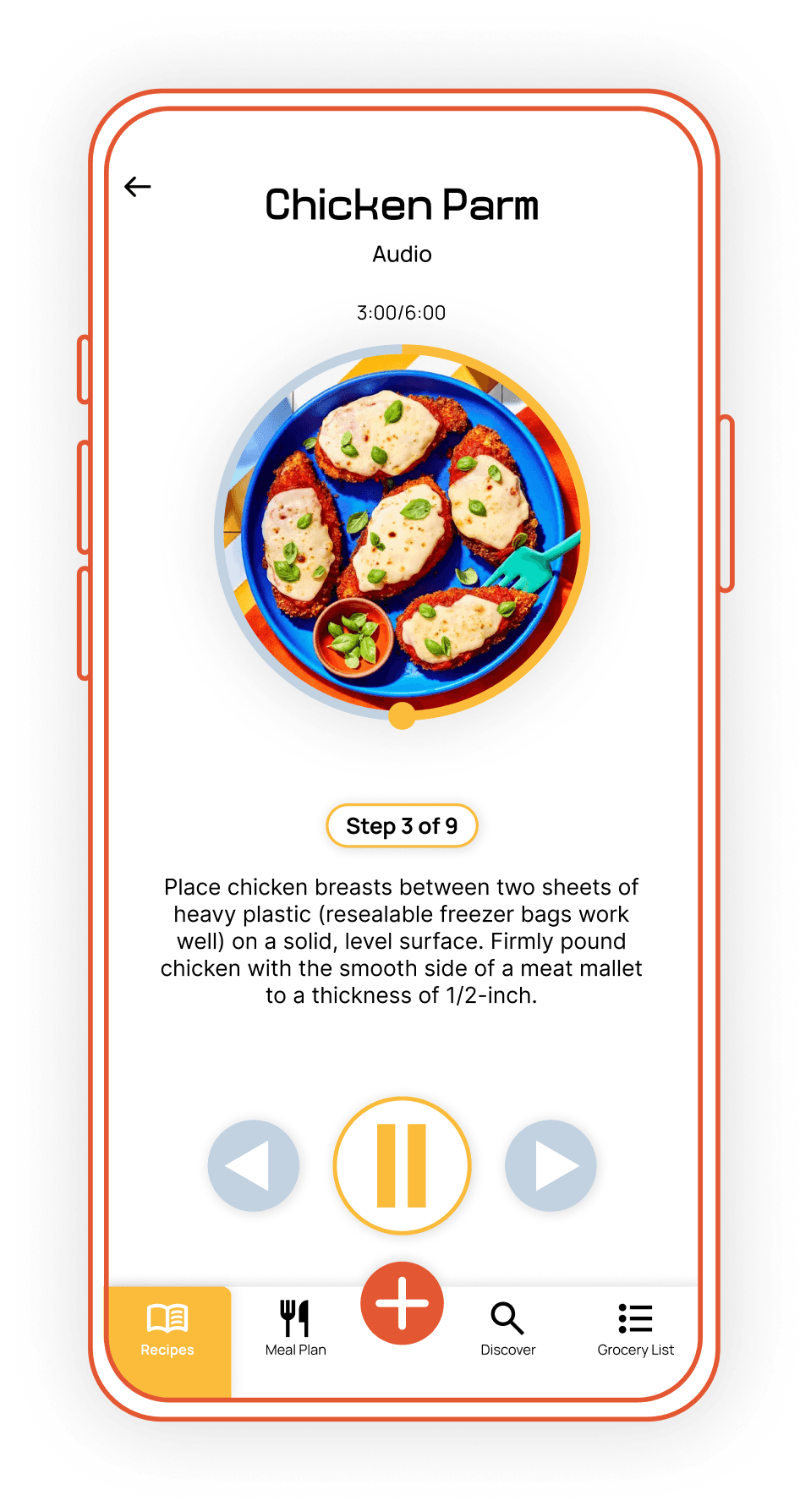
Adaptive Learning Modes
Each mode emphasizes a different sensory learning approach while still providing supportive visual or text cues. Users can add personal notes, photos, and ratings to build an evolving cooking reference.
Flexible Meal Planning
Users can manually plan meals or apply a recommended schedule based on selected recipes. Serving counts update automatically, showing how many portions are left to place within the week.
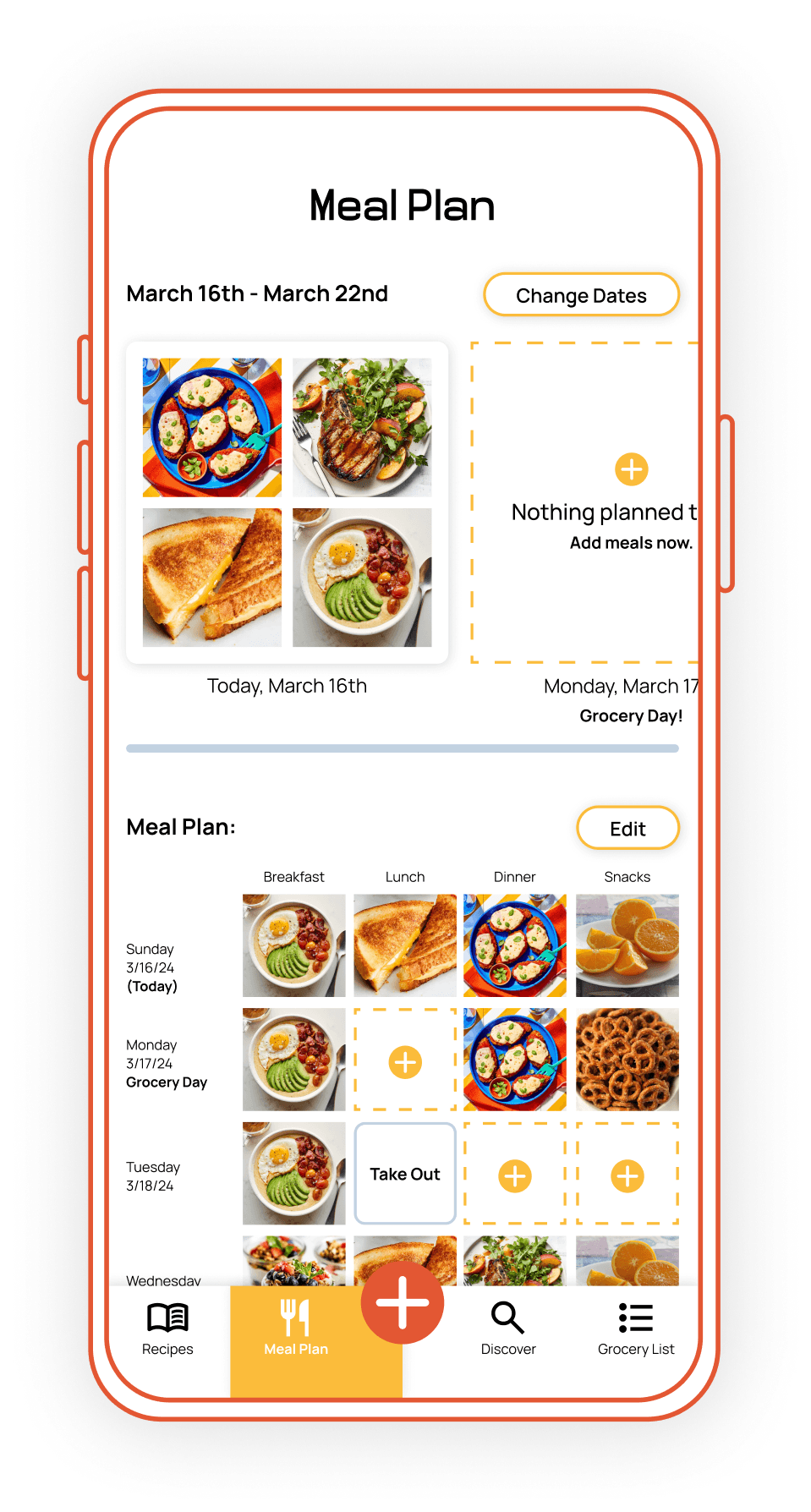
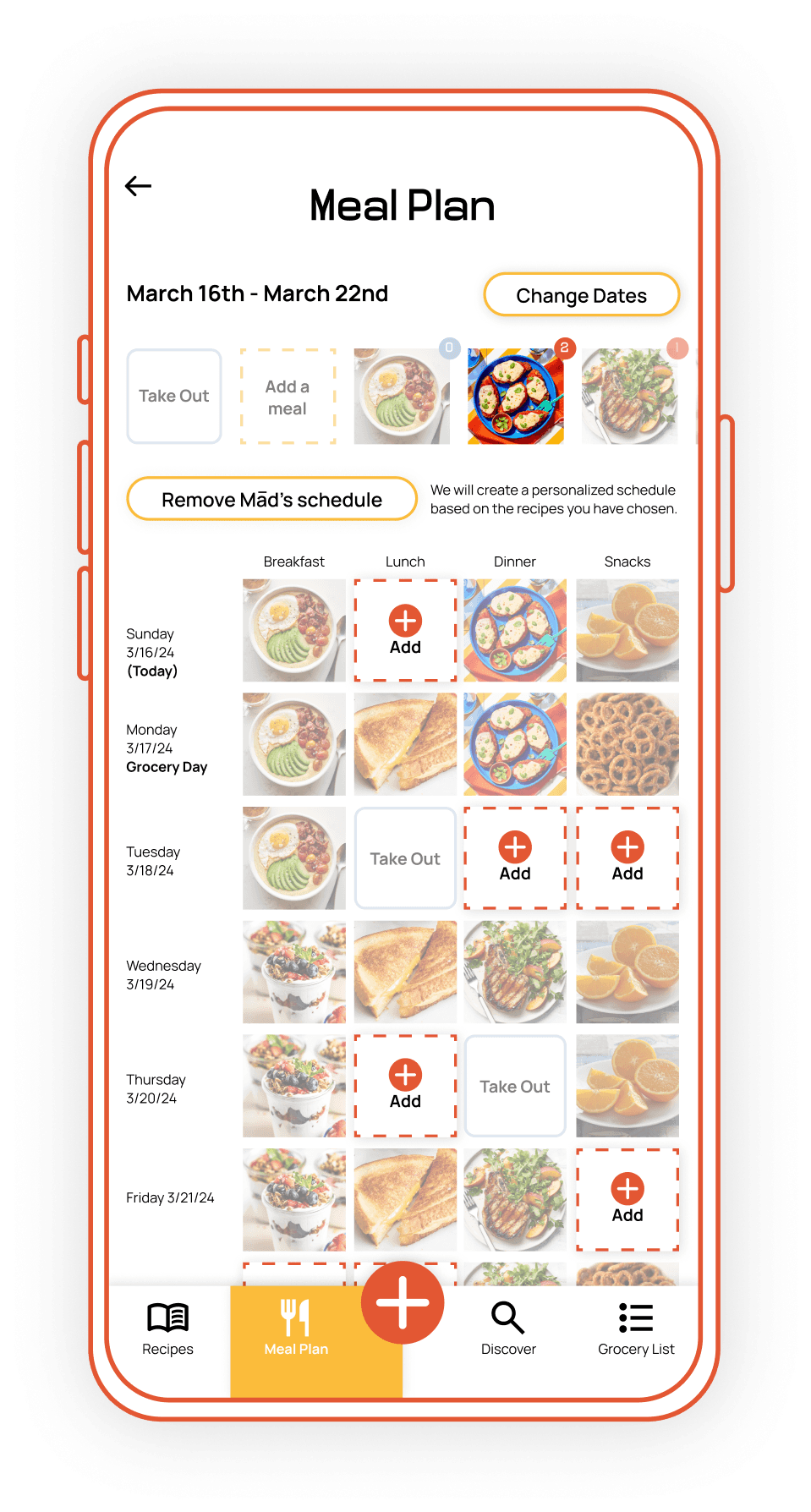
Interactive Meal Board
Empty meal slots are highlighted when a recipe is selected, making it easy to identify gaps. Users can add or remove mains and sides, preview recipes from the board, and adjust servings, with updates syncing to the grocery list and plan.
View The Full Report Here